1
lights from different groups. Your Z-Wave home control network can
include up to 232 Z-Wave enabled devices.
Additional features include:
- Easy to use LCD menu system
- Event programming which allows you to set timed events such as
turning on all of your lights at a certain time every day.
- Control of a Z-Wave enabled thermostat for your HVAC system.
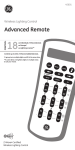
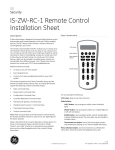
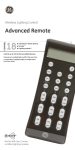
Mode Buttons:
LIGHT – Use to program and/or control
individual lights
GROUP - Use to program and/or turn
multiple lights ON or OFF with one button
SCENE – Use to program and/or control
multiple lights at preset brightness levels.
The same light may be included in multiple
scenes.
Thermostat – Use to check and adjust
system and temperature settings on a
Z-Wave enabled thermostat
All Button
Use to turn ON or OFF all Z-Wave lighting
at the same time. Press ALL and then any
number button
Number Buttons
Use to control up to 18 individual lights,
18 groups and 18 scenes. Press & release
to turn ON or OFF. Press & hold to adjust
brightness.
Press the button for numbers 1 – 9; Press
SHIFT, then the button for numbers 10-18