1
Devine Machine
OSR User Manual - Table of contents
3
Table of contents
Table of contents....................................................................................3
Recording................................................................................................4
1 - Route your audio through OSR. .........................................................................4
2 - MagicSens mode.................................................................................................4
When to use MagicSens ?........................................................................................4
3 – Set recording settings *.......................................................................................5
4 - Tresholds.............................................................................................................5
5 – Slot selection ......................................................................................................5
6 – Record !...............................................................................................................5
7 – Check clipping.....................................................................................................6
8 – Repeat the same process over and over............................................................6
An alternative recording method: Force Record ......................................................7
Performance............................................................................................8
Sample playback.......................................................................................................8
Mono or stereo playback...........................................................................................8
Using a MIDI keyboard..............................................................................................8
Performance ideas ...................................................................................................9
Functions...............................................................................................10
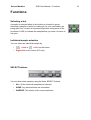
Selecting a slot........................................................................................................10
Individual sample selection ....................................................................................10
SELECT buttons......................................................................................................10
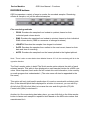
REORDER buttons ................................................................................................11
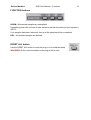
FUNCTION buttons.................................................................................................12
RESET ALL button..................................................................................................12
Exporting audio....................................................................................13
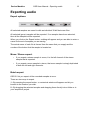
Export options.........................................................................................................13
Mono / Stereo export...............................................................................................13
Batch export............................................................................................................13
For the curious......................................................................................14