1
Controlling the VS-44HC
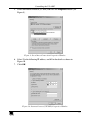
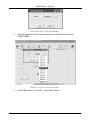
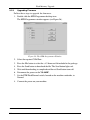
5. Select the Internet Protocol (TCP/IP) and click the Properties Button (see
Figure 9).
Figure 9: Local Area Connection Properties Window
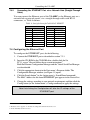
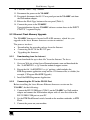
6. Select Use the following IP address, and fill in the details as shown in
Figure 10.
7. Click OK.
Figure 10: Internet Protocol (TCP/IP) Properties Window
17