1
73NQuickReference.fm Page 2 Tuesday, August 12, 2003 1:26 PM
What’s New in Revision D.01.00
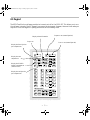
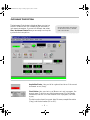
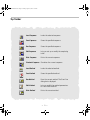
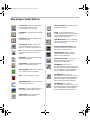
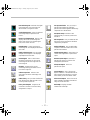
• A new toolbar has been added to the Top view
and an expanded set of toolbars have been
added to Data Analysis. Moving the cursor of
the mouse over a toolbar will display tool tips
(quick descriptions) for each of the buttons.
• The sequence user interface or sample log
table has been transformed into a
spreadsheet user interface.
• During sequencing the ABORT button in the
status panel has been changed to Pause.
When this is selected, the sequence will pause
immediately. When the sequence is started, it
will restart the sequence from where it was
paused.
• Long files names are supported. Data file and
method paths can be up to 100 characters
long. The names of individual data files and
methods can be up to 50 characters long.
• The method has been expanded to permit
printers other than the default printer to be
used for reports generated during Run
Method.
• Headers in Data Analysis reports are now
configurable for the reports generated by Run
Method.
• An improved BOOTP service has replaced the
previous BOOTP program. The new BOOTP
service will not interfere with shutting down or
logging off the computer.
• The SICL drivers have been updated to version
L.02.01 . Version M.01.01 is on the software
CD and is for GPIB support.
Online Help
• User Interfaces for selecting or saving files
and directories have been enhanced with
browse buttons.
• Support for 5973A and 6890A instruments
using GPIB has been restored.
• It is now possible to disable Method
Resolution for most changes in the 6890
configuration.
• The Manual Tune and Diagnostics / Vacuum
Control views have be merged into a single
view, Tune and Vacuum Control.
• A Tune Wizard has been provided to simplify
the modification of criteria (tune limits,
target ratios) used by the tuning algorithms.
• Loading data files in Data Analysis will now
preview the chromatogram.
— 2 —
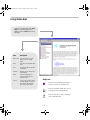
Use the online help to learn about these
new features as well as to learn about
instrument control, data acquisition, data
analysis, methods, sequencing, tuning, and
how to use system commands and
variables. Troubleshooting the MSD is
included to help you diagnose problems.