1
2 GETTING STARTED
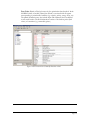
This section introduces the reader to basic operations required to create an analysis table,
starting from scratch. The following steps are involved: Import scenarios, Define new
table(s), View, and then Save/Export/Print the table(s) thus created.
2.1 Overview of VEDA features and main menu3
VEDA requires as input four text files containing full information on each model run that the
user wishes to examine and process. These files are produced by the GAMS GDX2VEDA utility.
The generic names and role of these files are as follows:
•
•
•
•
<scenarioname>.VD, containing the application VEDA header directives (controlling
the appearance of the main VEDA table specification form) and actual mode data;
<scenarioname>.VDE, containing the list of individual set member elements for each
index managed by VEDA with their descriptions;
<scenarioname>.VDS, where the set grouping information is provided for the various
sub-sets associated with each index managed by VEDA, and
<scenarioname.VDT>, containing the topology (RES) information, for MARKALbased models only.
These files must be present in a user chosen folder in order for VEDA to be able to import the
corresponding scenario (see section 2.2). Once the scenario results are imported, VEDA offers
the main menu briefly outlined below (section 4 contains a complete menu description).
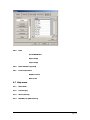
File: allows several operations on the databases being examined: New, Open, Compact,
Backup, Restore, and Quit.
View: besides the usual view choices such as showing or hiding parts of the screen, this
menu item has three important functions: a) to allow the user to select subsets of tables in
specific folders, b) to switch to the graphic Reference Energy System (RES) view (for
MARKAL-based models), and c) to choose the execution mode (interactive or batch).
See section 3 for these advanced features.
Tables: a table is the basic unit consisting of rows and columns created by VEDA from
the data imported. This menu allows the user to define a new table, to save or erase a
table, erase Cube files (the final form in which a table is organized), and set the default
layout of a table. See sections 2.3 and 2.4 for descriptions of these features.
Sets: sets of elements (e.g., commodities and processes for MARKAL-based models),
grouped according to some logical condition defined by the model itself or by the user.
Sets are often very useful to define the contents and organize the layout of a table. Some
sets are permanently defined by the model (e.g., for the MARKAL family of models,
3
A complete description of Menu options is provided in section 4 of this manual.
Page 8