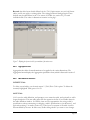
1
4.4.2
1.
2.
3.
4.
5.
6.
7.
8.
9.
4.4.3
Edit Set
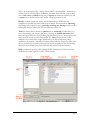
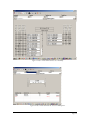
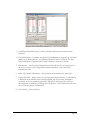
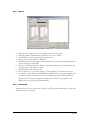
Select the set to edit from the sets combo at the top of the form.
Select the parent combination for which the set is to be edited.
Click “Edit Set” button at the right bottom corner.
Change the selection criteria as required.
Make changes to the description, and comments in the space provided alongside the
sets list at the top of the form.
Click “Load Parents/Shortlist” button to shortlist elements, in the elements list on
the right, as per new selection criteria.
Select/deselect in the elements list.
Click “Update Set” to save the changes, “Cancel Update” to cancel the changes.
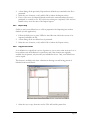
On Update, a small dialog is displayed in the middle of the screen prompting for the
set name, description (optional), and a set comment (optional). Clicking OK will
update the set for the selected parent combination. Click “For All parents” will
update the set in all the parent combinations.
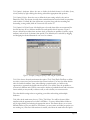
Delete Set(s)
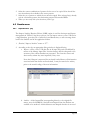
Allows deletion of one or more sets for some or all the parent combinations. Only userdefined sets may be deleted.
Page 45