1
User Manual
Turn your cell phone into a “sell” phone! Perform real-time credit card transactions at the
point of sale, wherever that sale occurs.
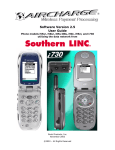
This manual will show you how simple it is to use your AirCharge iOS App and hardware.
Please note: AirCharge prides itself on excellent customer service. If at anytime you have a
question, our knowledge customer service agents are available for all active AirCharge
customers. Simply call 866-718-2800 and press 2 for support.
Main Menu
Swipe Card – Performs real time swiped credit card
transactions. (AirSwipe or AirBlue required)
Manual Entry – Performs manual entry credit card
transactions
Cash Receipt – Prints or emails cash receipts, replacing
the need for handwritten forms. Information is not stored.
Setup – Configuration and customer specific
setting information. Add in custom text for
print/emailed receipts.
About – Contact information; email or call for
support and activation assistance.
Device Status – Displays the current status of an
AirCharge Swipe Device.
Setting Up Your AirCharge App
Follow the steps below to activate your AirCharge App.
1. Hardware – The AirSwipe unit is ready to go right out of the box. For an AirBlue Mini,
once you receive your hardware it is important that you remove it from the box and
charge the unit prior to its first use. If you In order for the AirBlue Mini to charge
properly please remove the tab between the battery and unit to allow for charging to
occur – see last page for hardware information.
1
www.aircharge.com
866-718-2800