1
Operating manual:
1.
2.
3.
4.
5.
6.
7.
Select the section for RECORD/PLAY/DELETE: Key in the section number (e.g. Press
number 1 or 01 for section one ) that the LCD will display the selected section number.
( Max. 88 sections ) You can operate the record, broadcast, and delete after section
selection. It is noted that the selected section is empty when the number is flashing on
the LCD.
RECORD: Select the section number and press the “RECORD”, the recording red light
will flashing. Press the “RECORD” button again after checked the selection number
inerrancy. To start record after red light on and no flashing. Please press the
“CANCEL / END” to break or finish the recording. You can record the oral via
digit-mike or music via “AUDIO IN”. It may be happen the volume fluctuation
because the volume position is not uniformed during the CD music recording via
“AUDIO IN”. We recommend the user using the earphone to supervise and adjust the
volume level during the recording. The LCD’s section number will be changed to
count down while the memory bank capacity less 30 seconds to warning. It is not
accepted to cover the original record. You must deleted / cleaned the original first then
go through the recording.
PREVIEW: You can preview the section material after recording or before the broadcast.
Please select the section number and press “PREVIEW”, the red light on and play. The
sound will go out from the Speaker on the digit-mike set or earphone.
PLAY: Select the section number and press the “PLAY”, the red light on of the play key
and playing. It will be stop automatically to section play finished.
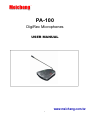
PA-100 DigiRec Microphones build-in Speaker will speak out during the broadcasting.
You can plug in the earphone to stop the Speaker.
Emergency broadcast: Anytime you can insert the oral during the broadcasting to handle
the live situation. Please press “TALK” then the broadcast will intermitted and you can
speak out via digit-mike. Press” TALK” again when finished the oral, it will play the
previous broadcast continually.
CANCEL / END: You can press “CANCEL / END” to stop the action during the
RECORD/PLAY/DELETE if you need. You should press “CANCEL / END” to cancel
and return if you miss touches any key.
CHIME: PA-100 DigiRec Microphones has 4 degrees note sound before each broadcast.
You can switch off it if it is needless to you.
2