1
01V96i Quick Start Guide
Table of contents
Getting Started with a ‘blank’ desk ............................................................................................ 3
Understanding the Rear Panel and Top Connectors .................................................................. 3
Understanding the Front Panel.................................................................................................... 5
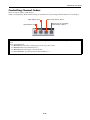
Controlling Channel Faders ......................................................................................................... 6
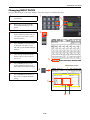
Changing INPUT PATCH................................................................................................................. 7
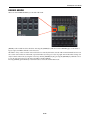
FADER MODE ................................................................................................................................. 8
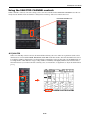
Using the SELECTED CHANNEL controls ...................................................................................... 9
EQUALIZER...............................................................................................................................................9
PAN.........................................................................................................................................................10
DYNAMICS .............................................................................................................................................11
ROUTING ................................................................................................................................................12
Ø / INSERT / DELAY ................................................................................................................................13
CHANNEL PAIR............................................................................................................................. 14
FADER GROUPS ............................................................................................................................ 15
MUTE GROUPS.............................................................................................................................. 16
CHANNEL VIEW ............................................................................................................................ 16
EFFECTS ........................................................................................................................................ 17
EDITING AN EFFECT ...............................................................................................................................17
USING AN EFFECT ..................................................................................................................................18
ROUTING AUDIO THROUGH AN EFFECT ..............................................................................................18
SCENE MEMORY .......................................................................................................................... 19
RECALL SAFE .........................................................................................................................................19
SCENE FADE ...........................................................................................................................................19
SCENE COPY / PASTE .............................................................................................................................20
MONITOR...................................................................................................................................... 21
Live Recording and Playback with Cubase AI........................................................................... 22
01V96i Editor............................................................................................................................... 24
Setup: .....................................................................................................................................................24
Convenient save and load data ...........................................................................................................24
01V96i Tips & Short-Cuts ............................................................................................................ 25
Using the [SEL] switches........................................................................................................................25
Other Short-Cuts ......................................................................................................................... 25
Other Tips .................................................................................................................................... 26
2/27