1
INTRODUCTION
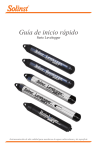
The RainLog in combination with the Rainwise Rain Collector constitutes a stand alone rainfall measuring and recording system.
The RainLog has a large, non-volatile memory that is capable of
recording one year of rainfall with a one minute resolution. A single CR2447N lithium battery powers the unit and in most cases
will last one year. Data stored in memory will not be lost during a
battery change.
The RainLog continually monitors for rainfall events and at the
end of each minute stores the minute rainfall to non-volatile memory. The RainLog makes efficient use of the available memory by
only storing information when an event has occurred.
INSTALLING THE BATTERY
One CR2477N lithium battery is supplied separately with each
RainLog. Please contact Rainwise for additional replacement
batteries.
1.
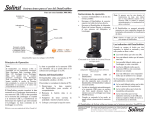
Lift the RainLog’s cover up from the serial port side as illustrated below and insert the battery as shown.
2.
Close the cover and turn the RainLog upside down. You
should see a red LED glow for 8 seconds. After 8 seconds
the LED will switch off, it will then flash faintly once every 8
seconds. This indicates that the logger is running.
-2-
Date sequence error.
A date sequence error occurs when the RainLog has logged information and then had its clock set to an earlier date. To reduce the
risk of this happening, it is advised that you download the data
from the RainLog, save it to file, set the clock and then clear it.
The RainLog is not recording rainfall.
Verify that the rain collector is clean and that the drain hole in the
center is not blocked. If you remove the screen, make sure that
you bend the cotter pin legs back up when you put it back. Leaving the legs down will stop the tipping bucket from tipping.
If the collector is not blocked, verify that the RainLog can read the
mechanism. Set the RainLog's clock and clear its memory using
the RL-Loader application. Connect the RainLog to the tipping
bucket and tip it by hand 5 times. Wait 1 minute and then
download the data. A new record should appear with 5 counts. If
no records appear, disconnect the RainLog from the collector and
short the two rainfall input terminals on the RainLog with a small
screw driver several times. Wait 1 minute and download again. If
you see new records, then there is likely a fault with the collector.
A continued absence of records may indicate a RainLog failure.
Contact Rainwise Support for further assistance.
-11-