1
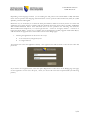
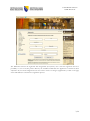
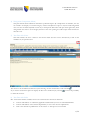
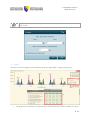
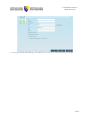
PANORAMA NECTO USER MANUAL Depending on the langauge in which you are reading the web portal of the Central Bank of BH, Panorama Necto wil be opened in that language. Panorama Necto can be opened localized in Bosnian, Serb (in Cyrillic alphabet), Croatian and English. Before the use, we would ask you to check the basic preconditions which are necessary for the use of this web application, those being having a computer with the minimum processing power above 2.2 GHz, 2 GB Rama with installed Windows XP or later. Panorama Necto can be opened in the following web browsers: Microsoft® Internet Explorer 8, 9 or 10, Google Chrome – version 27 or higher, FireFox – version 14 or higher and Apple Safari – version 5.1.7 or higher. It is recommended to regularly upgrade Adobe Flash Player, and the link for the upgrade can be found at the bottom of the Bridge page. 1. Entering the application can be done in two ways: As an anonymous (unregistered) user As a registered user Anonymous user enters the application directly. The registered user will be asked to enter its user name and password. If you wish to be a registered user, select the option Registration of New User on the Bridge page. The page for the registration of new users will open, where you need to fill in the basic required details (the following picture): 2/14