1
You can define a byte field to be a display field if all of the characters in the field
contain a number. For example if you have a six-character byte field that looks like
this:
012345
you can define it in the following manner:
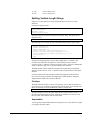
>def display-field,1,6,display
This field can then be converted to any of the other numeric types that Suprtool
supports.
If the field is six characters and contains blanks, decimal, currency or a sign symbol
in the data then you can utilize the $number function.
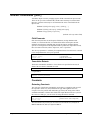
$Number Function
Suprtool now has the ability to accept free-form "numbers" as display data types.
This means numbers in the form:
1234.45-12345
-123.2134
12343
$123.45
can now be accepted and converted to any other numeric data type. Consider the
following data:
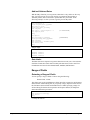
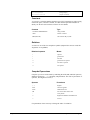
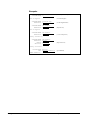
Item-number
12345
34563
21312
New-Price
+123.45
+ 27.5
+ 1.545
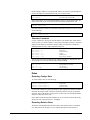
Suprtool can now read and convert the data in New-Price using the number function.
Let's say we want New-Price to be a double integer and currently occupies eight
bytes starting in position six. Here is the task you would use to convert the NewPrice free-format number into a double integer.
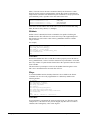
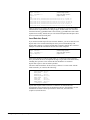
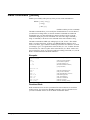
>in mynums
>def item-number,1,5,byte
>def new-price-ascii,6,8,display
>def new-price,1,4,double
>item new-price-ascii,dec,2
>item new-price,dec,2
>ext item-number
>ext new-price=$number(new-price-ascii)
>out somefile,link
>xeq
The $number function take the free-format number and make it a valid display
number. It will determine the decimal, sign and add leading zeroes. It will round the
number to the defined number of decimal places.
In the case of 1.545 number, Suprtool will round the value to be 1.55, since the given
number of decimal places is two and the preceding value is five or greater. If you
have a whole number such as 54, with no decimal point the value becomes 54.00.
Suprtool will not accept data that has:
128 • Suprtool Commands
Suprtool 5.0 for HP-UX