1
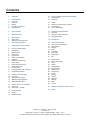
Contents
2Contents
3Introduction
3Overview
3Features
3Models
3
Available Accessories
3Programming
4
Box Contents
5Specifications
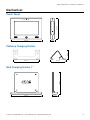
6Mechanical
6
Touch Panel
6
Tabletop Charging Station
6
Wall Charging Station 7
7
Cleaning the Touch Panel
8
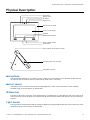
Physical Description
8Microphone
8
Motion sensor
8
IR Receiver
8
Light Sensor
9
Touch-screen display
9Speakers
9
Multifunctional button
9
Reset Button
9
Factory Default Button
9
IR Capture Sensor
9
IR Transmitter
9
Charging Power Jack Connector
9
Integrated Kickstand
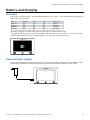
10 Battery and Charging
10Overview
10 External Power Supply
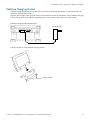
11 Tabletop Charging Station
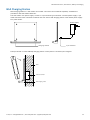
12 Wall Charging Station
13
13
13
Switch On / Off / Standby
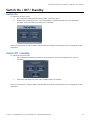
Switch On
Switch Off / Standby
14 Power Modes
14Modes
14 Mode Exchange
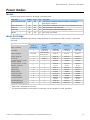
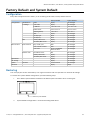
15 Factory Default and System Default
15Configuration
15Restoring
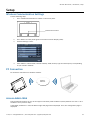
16Setup
16 Wireless Communication Settings
16 PC Connection
16 Access Admin Web
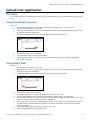
17 Upload User Application
17Overview
17 Using Cue Visual Composer
17 Using Admin Web
18
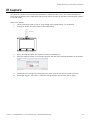
IR Capture
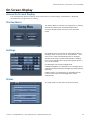
19 On Screen Display
19 Access On Screen Display
19 Startup Menu
19Settings
19Status
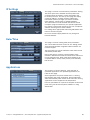
20 IP Settings
20Date/Time
20Applications
21Exit
22 Admin Web
22 Access Admin Web
22Login
22Logout
23Configuration
25 Date and Time
26Applications
26 File Storage
26E-mail
27Settings
28System
28Password
29Backup
30Reset
30License
31
Software and Firmware License
32Notes
UM051_01_Wireless_Touch_Panel
11.02.2014
Copyright © CUE, a.s., Praha, Czech Republic 1990 - 2013
All rights reserved. Specifications are subject to change without prior notice.