1
Quick Start
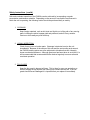
The PA500w Wipe on Applicator is easy to assemble and use. The following is a summary of the
necessary steps to get the applicator up and running.
If this is the first time you are setting up a PA500w, it is recommended that you read the entire
manual for more detailed instructions and tips for trouble-free assembly.
1.
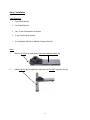
T-base Stand
A.
B.
2.
Printer
A.
B.
C.
3.
Attach power cord to the printer
Plug power cord into a grounded outlet
Configure Software
A.
8.
Load label stock in printer
Load ribbon in printer
Apply Power
A.
B.
7.
Connect the control box to the printer and applicator
Plug in the product sensor
Mount the product sensor as appropriate
Load Media
A.
B.
6.
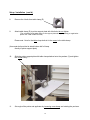
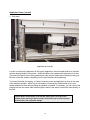
Mount the applicator to the table
Install Control Box and Product sensor
A.
B.
C.
5.
Unpack the printer
Attach the printer table clamp to the printer support plate
Place the printer on printer support plate
Applicator
A.
4.
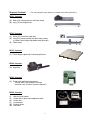
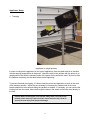
Unpack the applicator’s T-base stand
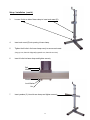
Assemble the T-base stand
Create EASYLABEL format, or directly program the format as follows:
- print mode = applicator
- presentation position = 0
- label offset = .00
Send Label Job to Printer
A.
B.
Download a job to the memory, or send a print job to the printer
Select a job from the memory if the printer is in stand-alone mode
3