1
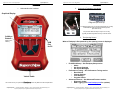
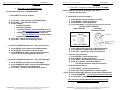
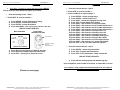
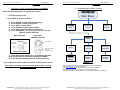
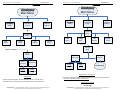
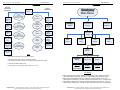
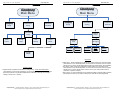
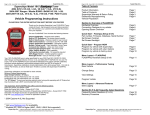
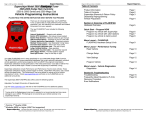
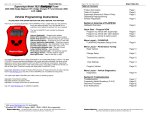
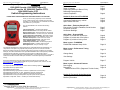
Superchips Inc. Page 5 of 24 Form 0164C 2825 03/29/07 Superchips Inc. Page 6 of 24 Form 0164C 2825 03/29/07 Section A – Overview of FLASHPAQ Section A – Overview of FLASHPAQ 1. Understanding the hardware 2. Connecting Flashpaq to my vehicle Graphical Display Diagnostic port close up The Flashpaq plugs into your vehicle’s diagnostic port, usually underneath the dash and below the steering wheel. (See white arrow). The port and cable are setup to only fit on one way. Typically the wider edge faces the top, as shown above. SoftKeys Buttons 3. The Opening Screen (Note screen relation) USB Port for PC When a Flashpaq is first powered up, the opening screen is displayed Vehicle Cable The screen text on your particular FLASHPAQ Tuner may differ from the example above. Superchips Inc. 1790 East Airport Blvd., Sanford, FL. 32773 (407) 585-7000 http://www.Flashpaq.com Superchip & Superchips are registered trademarks of Superchips, Inc. FLASHPAQ Setup – See Flashpaq Setup section o About o Set Screen Contrast o Set Screen Backlight Performance Tuning – See Performance Tuning section o Read Vehicle o Change Settings o View Settings o Program Vehicle Advanced Features – See Advanced Features section o Diagnostic Codes o Data Logging (visit www.flashpaq.com for updates) Superchips Inc. 1790 East Airport Blvd., Sanford, FL. 32773 (407) 585-7000 http://www.Flashpaq.com Superchip & Superchips are registered trademarks of Superchips, Inc.