1
ENGLISH
H.
G.
A.
B.
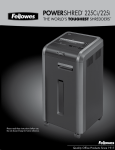
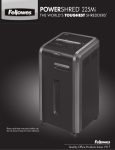
ModelC-225i/C-225Ci
K.
C.
D.
E.
F.
J.
KEY
A. SafeSense® Technology
B. Paper entry
C. CD entry
D. Door
E.Basket-paper(inside)
F. Basket-CD(inside)
K.Control Panel and LEDs
G. See safety instructions
1.Reverse
H. Disconnect power switch
2. ON/OFF
I. Casters
3. Forward
J. Shipping bolts (wing nuts) 4.Binfull
To be removed prior to operation 5.Dooropen
6.Removepaper
7. Sheet capacity indicator
8.SafeSense® indicator (yellow)
9.Autobutton
I.
CAPABILITIES
Will shred: Paper, credit cards, CD/DVD’s, staples and small paper clips
Will not shred: Adhesive labels, continuous form paper, transparencies, newspaper,
cardboard,largepaperclips,laminates,filefolders,X-raysorplasticotherthannotedabove
Paper shred size:
Cross-Cut .....................................................5/32inchesx1-1/2inches(3.9mmx38mm)
Strip Cut ........................................................................................... 7/32inches(5.8mm)
Maximum:
Sheets per pass ........................................................................................................... 20*
CDs/Cards per pass ....................................................................................................... 1*
Paper entry width........................................................................... 91/2inches(240mm)
*8.5inchesx11inches,20lb.,(75g)paperat120V,60Hz,6Amps;heavierpaper,humidityorother
thanratedvoltagemayreducecapacity.Recommendeddailyusagerates:C-225i:10,000sheetsper
dayC-225Ci:5,000sheetsperday;both:200creditcards;10CDs
Fellowes SafeSense® shredders are designed to be operated in home and office environments ranging
between50–80degreesFahrenheit(10–26degreesCelsius)and40–80%relativehumidity.
AdvANCEd PROdUCT FEATURES
Jam Proof System
Eliminates frustrating jams
by preventing overloads
and powering through
misfed paper
Patented SafeSense®
Technology
Stops shredder immediately
when hands are too close to
the paper entry
Sleep Mode
Energy saving feature
shuts down automatically
after 2 minutes of no
shredding activity
IMPORTANT SAFETY INSTRUCTIONS — Read Before Using!
• Keepawayfromchildrenandpets.Keephandsawayfrompaper
entry. Always set to off or unplug when not in use.
15
15
• Keepforeignobjects–gloves,jewelry,clothing,hair,etc.–away
from shredder openings. If object enters top opening, switch to
Reverse ( ) to back out object.
• Never use aerosol products, petroleum based lubricants or other flammable
products on or near shredder. Do not use canned air on shredder.
• Donotuseifdamagedordefective.Donotdisassembleshredder.Do
not place near or over heat source or water.
15
• ThisshredderhasaDisconnectPowerSwitch(I)thatmustbeintheON(I)
position to operate shredder. In case of emergency, move switch to OFF (O)
position. This action will stop shredder immediately.
• Avoidtouchingexposedcuttingbladesundershredderhead.
• KeepfingerawayfromCDholewhenshredding.
• Donotputforeignobjectsinpaperentry.
• Thegroundedsocket-outletshallbeinstalledneartheequipmentandshallbe
easily accessible.
BASIC SHREddING OPERATION
PAPER/CARd OR Cd
1
2
3
5
4
6
C-2
25
C-2
25
C-2
25
AUTO
Plug in and put
disconnect power
switch in ON (I) position
Press ( ) ON to
activate
AUTO
Feed paper/card
straight into paper
entry and release
Hold CD at edge,
feed into CD
entry and release
When finished
shredding set
to OFF ( )
www.fellowes.comfeaturesanextensiveon-linesupportsectionwithanumberofself-serviceoptions
2
or
Do nothing and
shredder will go
automatically to
sleep mode