1
For a description of all functions; see the User Manual,
OfficeM Cordless Telephone.
On hook/standby menu
Phonebook Call info Toolbox
Message
Call service
Off hook menu
3rd party Ongoing call
Call waiting
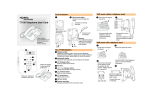
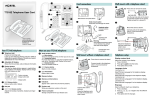
Write text and numbers
Useful when writing a message, or adding, searching or
editing a name in the Phonebook.
Press a key repeatedly. (Example: to get the character E, press
key 3 twice). Key 0 and 1 contain special characters. Press the
Yes button, enter the number and press the Yes button to
save the entry, or to send the message.
Lower/upper case: short press on the -key.
Add space in text: short press on key 1.
Delete a character: short press on the C-key.
Delete all characters: long press on the C-key.
Enter “+” in number mode: long press on key 0.
Enter a pause in number mode: long press on the -key.
Phonebook >
Phonebook User busy
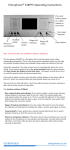
Navigate the menu
Yes
Left
Clear
Down
Enter the menu mode by pressing the Menu key, or navigation
key left or right ( ). Use ( ) to choose tab and press the
Yes button to open it; a heading is shown and the first
alternative is marked. Use navigation key up/down ( ) to step
in the alternatives and press the Yes button to select your
alternative. A press on the No button takes you back one
step. Always confirm your alternatives/settings with a press on
the Yes button. Return to standby mode by pressing the Menu
key or by a long press on the No button.
Call
Add contact
Edit contact
Delete contact
Open central
Message
>
Voice
Inbox
Send
Call info
>
Missed calls
Call list
Call time
No
Right
Menu key
Quick Reference Guide, GB
Ascom OfficeM
Cordless telephone
Leather case
Desktop charger
Swivel clip
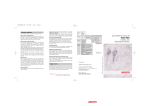
Menu structure
On hook/Standby menu
Up
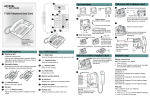
Accessories
The following accessories are available for the OfficeM:
Call service >
Absence
Divert
Toolbox
Alarm clock
Calculator
Sound & Alerts
Display
Network
Time & Date
Locks
Answering mode
Language
In charger mode
Master reset
>
Off hook menu
3rd Party
>
Call 3rd party
Switch call
Transfer
Add to conf.
End new call
Phonebook >
Call
Add contact
Edit contact
Delete contact
Open central
Ongoing call>
Message
Call list
Long DTMF
Short DTMF
Send pause
User busy
>
Call waiting >
Headset with
microphone on boom
Headset with
microphone on cable
Also available:
• Headset with hearing protection
• Charging rack
Distributed by:
Call waiting
Call back
Info
Switch
Manufactured by:
Ascom Tateco AB, Sweden
M0269601 Ver. A September 2004 Ascom Tateco AB
Menu