1
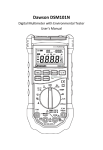
Using the Meter Readings Hold Press “HOLD” button to hold the readings of current measurement. Press “HOLD” button again to release the hold. Backlight Press the “B.L” button for to turn on backlight. The backlight will go off automatically after 10 seconds. Press the B.L” button for two seconds again to manually turn off the backlight. NOTE: Backlight requires a large working current; although the Meter backlight will turn off automatically after 10 seconds, frequent use of the backlight will shorten the life of the batteries. Do not use the back light unless necessary. When the battery voltage is ≤7V, “ ” (battery low) will appear on the LCD. When the backlight is on, even if the batter is ≥7V, “ ” may appear because of its large working current which causes the voltage to drop. (The 11