1
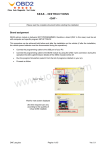
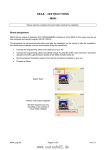
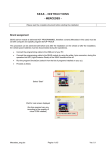
If the connection is successfully
achieved (serial communication
recognized and accepted) the
program will display this page:
you can now select SCANIA
brand
Select “Send PROG”
When the programming
operation is completed, the
yellow LED on your SEAS
module will turn on.
m
o
c
.
2
d
b
o
u
.
w
w
•
w
Select “Quit” to close the
program SimulaCan
Disconnect the programming cable of your SEAS module and place the specific cover on top of the
white 4 pins connector.
IMPORTANT: the following instructions indicate how to connect and install your SEAS module on the
original AdBlue system of the truck.
The number displayed and the colour of the conductors of the AdBlue system are referred to
Scania R500 year 2008, these details may vary according to different production lots or vehicle
equipment.
Please refer to the schemes/layouts supplied with the Scania technical manual to identify the
CAN-Bus line of the AdBlue system, its protection fuse and the power feeding.
The main working procedure of SEAS modules does not vary.
Scania_eng
Page 2 of 5
Ver. 0.1