1
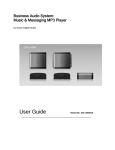
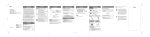
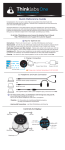
Integrated Multi-Media Docking Station Diagram.
Main Functions of the Front Panel
1
2
3
5
6
7
4
8
9
1– The play and pause key for MP3 files.
2– Repeat key: Press it once; it will replay the entire USB or SD card in a
loop; Press it twice; it will replay the song, which is playing; Press it three
times; it will replay all songs from the file folder that is playing.
3 – MP3 playing indicator.
4 – The SD card socket: Insert a SD card and start MP3 playing,
5 – The Next Track key (Forward)
6 – The Previous Track key. (Reverse)
7 – The power indicator of MP3 and iPod player.
8 – The USB port. To connect USB start MP3 playing.
9 – The iPod dock. Connect an iPod to play and charge its power.
1 – XLR and 0.25 in TRS combo jack. Microphone input and standard
instrument cable.
2 – Volume input control knob. Twist the knob clockwise to turn the volume
louder; and twist the knob counterclockwise to turn the volume lower.
3 – Standard TRS 3.5 mm plug port (standard instrument cable)
4 – Volume input knob. Twist the knob clockwise to turn the volume louder;
Twist the knob counter clockwise to turn the volume lower.
5 – AUX external signal input. To connect DVD, CD, VCD, etc other signal
input using RCA connector cables (red/white audio cables)
6 – Volume control for AUX, MP3 and iPod player. Twist the knob clockwise
to turn the volume louder; Twist the knob counterclockwise to turn the volume
lower.
7 – The main volume control knob. Twist the knob clockwise to turn the
volume louder; Twist the knob counter clockwise to turn the volume lower.
8 – The main power indicator.
Note: This unit is only available for audio playback, not for video signal
Page 3
Page 4