1
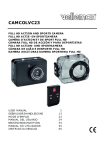
CA MCO LVC23
•
9.
Tap the Playback icon
to ex it.
Mana ging files from your Computer
You can manage file s on the SD card by conne cting the cam e ra to a
compute r. To do so:
1. S witch on the came ra.
2. C onne ct the USB port of the cam e ra [14] to a USB port of your
compute r with the included USB cable.
• The came ra appears as a re movable disk on your compute r.
• The came ra save s the files in the following folde rs
o VIDEO : re cordings taken in video mode
o C AR: re cordings take n in ve hicle mode
o JPG: pictures
Note
The came ra functions cannot be use d while the cam e ra is conne cted
to your com pute r.
W he n done , safe ly rem ove the de vice from your compute r:
Windo ws®
To safe ly rem ove the de vice:
1. C lick the icon Safe ly Rem ove Hardware
in the notification area
at the right of the taskbar and click the de vice that you want to
re move .
W indows will display a notification te lling you it's safe to remove
the de vice .
2. Unplug the de vice from the USB port.
Mac intosh®
1. In the Finde r, click the Eje ct icon
nex t to the de vice .
2. Unplug the de vice from the USB port.
V. 02 – 27/05/2014
9
©Ve lleman nv