1
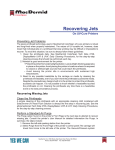
4.) After you have successfully filled your Epson cartridge with cleaner, please continue
to follow the ink refill instructions by letting your cartridge sit for the appropriate
amount of time. Do not put a leaking cartridge into your printer.
5.) Once cartridge is no longer leaking cleaner or forming a drip from exit ports, you can safely put the
cartridge back into the printer.
6.) Run the cartridge through cleaning cycles. For deeply clogged printheads, you may need to run 9-10
cleaning cycles.
7.) After cleaning the printhead, remove the cleaning cartridge from the printer and place a regular ink
cartridge in printer. Run a nozzle check and test page.