1
Table of contents
Usage Notice…………………………………………………………………………………………………………………………….. 2
Precautions...………………………………………………………………………………………………………………………………….2
How it works…………………………………………………………………………………………………………………………………..2
Package overview……………………………………………………………………………………………………………………….3
Before Installation – Environment Check…………………………………………………………………………………….4
TouchBeam installation information……………………………………………………………………………………………….5
Whiteboard guidelines…………………………………………………………………………………………………………………..6
Measuring projection surface flatness……………………………………….....……………………………………………..10
Installation Guide……………………………………………………………………………………………………………………..11
Installation workflow………………………………………………………………………………………………………………….…11
Installing the mount……………………………………………………………..………………………………………………….….12
Step 1: Attach the wall plate to the wall….………………………………………………………..……………..…………..12
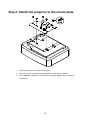
Step 2: Attach the projector to the mount plate.……………………………………………………………..…………..13
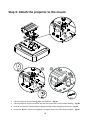
Step 3: Attach the projector to the mount…..…………………………………………………………………..…………..14
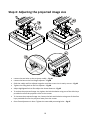
Step 4: Adjusting the projected image size………………………………………………………………….…..……………15
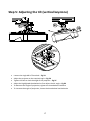
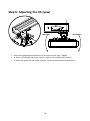
Step 5: Adjusting the tilt (vertical keystone)...…………………………………………………………………..……..…..16
Step 6: Adjusting the tilt (yaw)…………………....…………………………………………………………………..……..…...17
Step 5: Adjusting the tilt (horizontal keystone)...……………………………………………………………..……..…..18
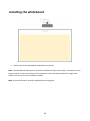
Installing the whiteboard…………..……………………………………………………………………………………….…...19
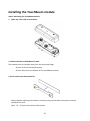
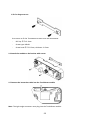
Installing the TouchBeam module………………………………………………………………………………..……….….20
Step 1: Mounting the TouchBeam module………………………………………………………..……………..…………..20
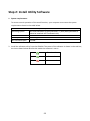
Step 2: Install Utility Software………………..………………………………………………………………………..…………..22
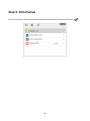
Step 3: Initial Setup………………………………..………………………………………………………………………..…………..23
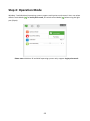
Step 4: Operation Mode…………………………………………………………………………………………………..…………..24
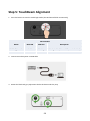
Step 5: TouchBeam Alignment……………….………………………………………………………………………..…………..25
Step 6: Touch Area Setting………………………..……………………………………………………………………..…………..28
Step 7: Calibration………………………………….………………………………………………………………………..…………..30
Step 8: Touch Sensitivity…………..……………….……………………………………………………..……………..…………..31
Step 9: Troubleshooting Viewer……………….……………………………………………………..……………..…………..32
Appendix………………………………………………………………………………………………………………………………….33
Troubleshooting……………………………………………………………………………………………………………………..……33
Interactive cable layout…………………………………………………………………………………………………………………38
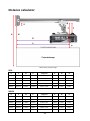
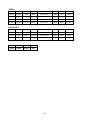
Distance Calculator ………………………………………………………………………………………………………………………39
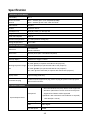
Specification………………………………………………………………………………………………………………………………...41
2