1
•
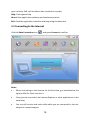
The connected icon appears on the taskbar:
•
Press Disconnect to terminate the connection.
3.3 Making a Call
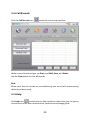
Connect your headset and click the Calls icon
to make a call. Enter the
phone number using the keypad on the screen or by typing on the keyboard.
You can also select numbers from the calls list or from your contacts.
Notes
•
If you make a mistake press
•
Press
•
For international calls, press
to clear.
to make a call and press
to end a call.
twice for the international prefix
“+”.
17