1
Table of Contents
Table of Contents
Manual Overview............................................................... 2
Manual Revision ............................................................................ 2
Trademarks ..................................................................................... 2
Product Overview .............................................................. 4
Package Contents ......................................................................... 4
System Requirements ................................................................. 4
Introduction ................................................................................... 5
Features............................................................................................ 6
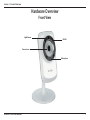
Hardware Overview ..................................................................... 7
Front View................................................................................ 7
Rear View ................................................................................. 8
Installation ......................................................................... 9
Zero Coniguration Setup ........................................................10
Camera Installation Wizard .....................................................13
Windows Users ....................................................................13
Mac Users...............................................................................14
Manual Hardware Installation................................................15
Wireless Installation Considerations ....................................16
WPS - Push Button Setup .........................................................17
mydlink...........................................................................................18
Coniguration ...................................................................19
Using the Web Coniguration Interface ..............................19
Live Video ......................................................................................20
Setup ...............................................................................................21
D-Link DCS-933L User Manual
Wizard .....................................................................................21
Internet Connection Setup Wizard ........................22
Network Setup ..............................................................24
Wireless Setup......................................................................25
Repeater Setup ....................................................................26
DDNS ......................................................................................27
Image Setup .........................................................................28
Video .......................................................................................29
Audio .......................................................................................30
Motion Detection ...............................................................31
Sound Detection .................................................................32
Mail ..........................................................................................33
FTP............................................................................................35
Time and Date......................................................................37
Day/Night Mode .................................................................38
Maintenance ................................................................................39
Admin .....................................................................................39
System ....................................................................................40
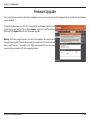
Firmware Upgrade..............................................................41
Status ..............................................................................................42
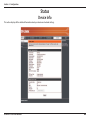
Device Info ............................................................................42
Active User ............................................................................43
Troubleshooting ..............................................................44
Technical Speciications ..................................................47
3