1
Application
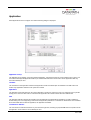
The command line interface allows you to create, modify or close Application windows.
The command line interface can be accessed in a number of ways:
From a shortcut specifying APPCMD.EXE as the target followed by the command line options separated by spaces.
From a command prompt by specifying the full path of APPCMD.COM or by having the folder where the Wall Control
software was installed on the path.
From a batch file. The same rules as command prompt apply.
Example Usage
Open the application ‘notepad.exe’ to display the file “c:\info.txt”.
"C:\Program Files (x86)\Wall Control\appcmd.exe" -AppName=”notepad.exe” -CmdArgs=”c:\info.txt”
Open the Internet Explorer application ‘iexplore.exe’with the URL “http://www.google.com” and assign the ID 1.
"C:\Program Files (x86)\Wall Control\appcmd.exe" -AppName=”C:\Program Files\Internet Explorer\iexplore.exe” CmdArgs=”-nomerge http://www.google.com” -ID=1
Move the application window with the ID 1 to the origin of the desktop without changing its size.
"C:\Program Files (x86)\Wall Control\appcmd.exe" -ID=1 –Window=0,0,,
Close the application with the ID 1.
"C:\Program Files (x86)\Wall Control\appcmd.exe" -ID=1 -Close
Nomenclature
Italic - Information that you must supply.
Bold - Elements that you must type exactly as shown.
Ellipsis (...) - Parameter that can be repeated several times in a command line.
Between brackets ([]) - Optional items.
Between braces ({}) - Set of choices (separated by I) from which you must choose only one.
Courier font - Code or program output.
-ID=number
When a window is created it can be allocated an ID. To modify or close a window, specify its ID so the correct window is
modified or closed.
An ID is any integer between 1 and 65535. The ID is specific to Application windows.
-Close
If this command line option is specified with an ID, the window with that ID is closed.
-ShowState={Minimised|Restored|Maximised|Show|Hide}
Sets the show state of the window.
To activate a window use Restored.
-AlwaysOnTop={On|Off}
-ShowMenuBar={On|Off}
Use to specify if the menu bar is to be displayed.
143 / 155