1
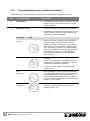
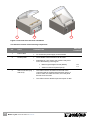
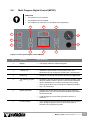
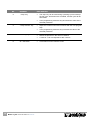
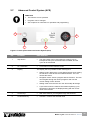
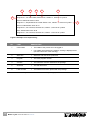
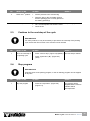
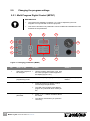
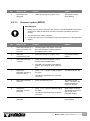
5. OPERATION ATTENTION Observe the instructions in chapter 3 for all work to be performed Failure to follow or ignore this may result in serious injury EXPLANATION 5.1. NO. The machine is equipped with sample programs with preset parameters It is possible to optimize a program for your products by changing the parameters of the program, see Chapter 5.5 Startup WHAT TO DO ACTION RESULT 1 Turn on the power Place the plug in the socket The control is ready for use 2 Connect the additional seal pressure (if applicable) Connect the compressed air supply to the connector The additional seal pressure is ready for use 3 Connect the gas bottle (if applicable) Connect the gas supply to the connector The gas flush is ready for use 4 Switch on the control Operate the on/off button The machine is ready for use 5.2. NO. 34 Production WHAT TO DO ACTION 1 Make sure the machine is powered on See chapter 5.1 2 Select the program MPDC control: Press the program key (Figure 5:2) until the desired program appears on the display (Figure 5:1) ACS control: Use the control buttons ‘up’▲ or ‘down’▼ (Figure 6:6) USER MANUAL Boxer / Lynx Version: BL-EN-UL-0 23-03-15 RESULT