1
1. Description of the Dimming functions of STXA210AN-STXA213N
applications
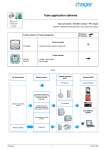
The STXA210AN and STXA213N application software is used to individually configure each output for the Dimming applications.
The main functions are the following:
■ ON / OFF
The ON / OFF function is used to switch a lighting circuit ON or OFF.
• ON: switching ON at the lighting level defined by parameters. Switching ON can be gradual or instantaneous,
• OFF: switching OFF. Switching off can be progressive or instantaneous.
The control can come from push buttons.
■ Relative or absolute dimming (Brightness value)
The relative dimming allows increasing or decreasing the lighting level as long as a push button is pressed down. The speed of
dimming is configurable. The absolute dimming allows defining in % the lighting level to reach by means of the Lighting level
object.
■ Timer
The Timer function is used to switch a lighting circuit ON or OFF for an adjustable time. Depending on the operation mode
selected, the output may be delayed for ON or OFF switching. An adjustable cut-OFF pre-warning indicates the end of the delay
time by dividing the lighting level by two. The timer can be interrupted before the end of the time delay.
■ Time limited toggle switch
The Time delayed switch function combines a toggle function and a cut-OFF delay. Pressing briefly a push button inverts the
output. If the output is at ON, it switches automatically to OFF after a programmable time delay (to prevent it being forgotten).
Application: Lighting for attics, cellars, store rooms, etc..
■ Priority
The Priority function allows overriding an output to an adjustable lighting level. This command has the highest priority. No other
command is taken into account if a priority is active. Only a priority end command re-enables the other commands.
Application: maintaining lighting ON for safety reasons.
■ Scene
The Scene function groups a set of outputs. These outputs can be set to an adjustable predefined status. Pressing a push button
activates a scene. The dimming speeds to achieve these levels of lighting are configurable.
■ Metering
The Metering function is used to measure the total duration at ON or at OFF for an output. A set-point triggering an alarm may be
programmed.
■ Adjustment of the minimum and maximum limits of the dimming range
This function is used to set the minimum and maximum dimming limits for each output. These limits can be adjusted by ETS
configuration or locally on the front face of the product.
■ Selection of the number of outputs used*
The product allows 1, 2 or 3 lighting circuits to be controlled. The maximum available power per output depends on the number of
outputs used. The total power is limited to 900W:
• 1 output used: 900W
• 2 outputs used: one 600W output and one 300W output
• 3 outputs used: 300W per output
■ Manu Mode
Manu Mode is used to isolate the product from the bus. In this mode it is possible to force the level of lighting of the lighting
circuits locally. These parameters can also be adjusted in ETS. A local adjustment on the product overrides the last values
downloaded.
* only reference TXA213N.
STXA210AN / STXA213N
2
6T 8082-02a