1
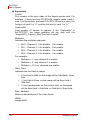
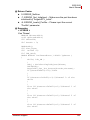
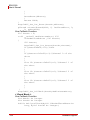
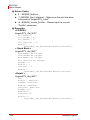
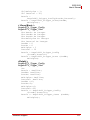
EOS-2000 User’s Manual 4.5.8 Watchdog Timer Note: This function is only available for RTV-24. @ Name AngeloRTV_Set_WDT(CardNo, Enable, Interval) Sets the watch dog status (only for PCI-RTV24) @ Description AngeloRTV_Set_WDT: Enables or disables the watch dog timer in the Angelo series cards, and set the interval of timer. When users have enabled the watch dog timer and selected a 16 seconds interval, a system reset signal will be triggered if this function is not called after 16 seconds. @ Syntax C/C++ (Windows/CE.NET) I16 AngeloRTV_Set_WDT (U16 CardNo,U16 Enable,U16 Interval) Visual Basic (Windows/CE.NET) AngeloRTV_Set_WDT (ByVal PortNo As Integer, ByVal Enable As Integer, ByVal Interval As Integer) As Integer Delphi (Windows) AngeloRTV_Set_WDT(CardNo:Smallint;enable:Smallin t;interval:Smallint):Smallint; @ Arguments CardNo: Card number is the zero index in Angelo series card. For example, if there are two Pci-RTV-24 Angelo cards (card 0, card 1) in the system, “CardNo” of card 0 is 0, and 1 for card 1. Enable: Enables or disables the watch dog timer. 0 for disable, 1 for enable. Interval: Indicates the watch dog timer interval. 1: 8 seconds 2: 16 seconds 3: 32 seconds Software Support 107