1
Configuration Commands
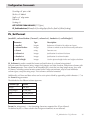
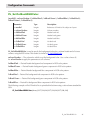
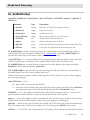
format (for text arrays) — Not supported.
format (for numeric arrays) — See the 4D command String in the 4D Language Reference for the
possible values. Any valid 4D numeric format may be used.
format (for boolean arrays) — The string contains two formats, one for the True value, the other
for the False value, separated by a semicolon. Examples: “Male;Female” and “MacOS;Windows.”
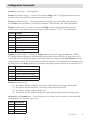
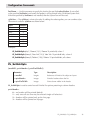
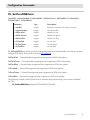
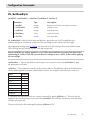
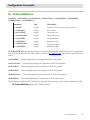
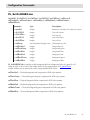
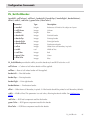
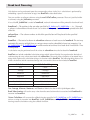
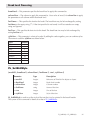
format (for date arrays) — See the 4D command String in the 4D Language Reference for the
possible values. Any valid 4D date format may be used. Examples: “0” or “3” are valid formats.
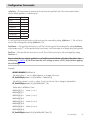
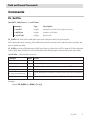
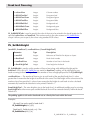
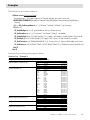
Format Example
0
1
2
3
4
5
09/20/07 (default)
9/20/07
Thu, Sep 20, 2007
Thursday, September 20, 2007
09/20/07 or 09/20/1997
September 20, 2007
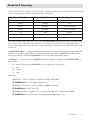
6
Sep 20, 2007
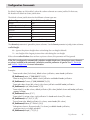
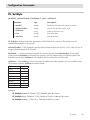
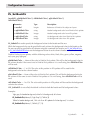
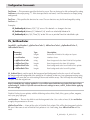
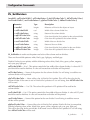
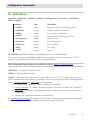
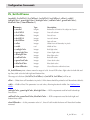
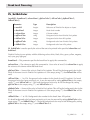
format (for “time” arrays) — See the 4D String command in the 4D Language Reference, and the
4D Design Reference discussion of formatting for the possible values. There are no time arrays in 4D
as such, they are in reality long integer arrays. These arrays are printed as time PL_SetFormat values by
using the proper format. The format is the two character sequence “&/” followed by the number given in
the discussion of the String command. For example, one proper format for a time array would be “&/2”.
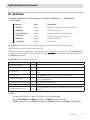
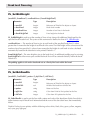
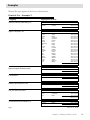
Format Example
1
2
3
4
5
01:02:03
01:02
1 hour 2 minutes 3 seconds
1 hour 2 minutes
1:02 AM
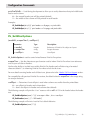
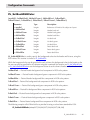
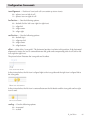
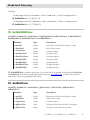
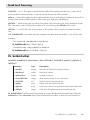
format (for picture arrays):
0 — the picture will be truncated, if necessary, and justified to the upper left (default)
1 — the picture will be truncated, if necessary, and centered in the cell
2 — the picture will be scaled to fit the cell
3 — the picture will be scaled to fit the cell, and remain proportional to its original size
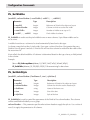
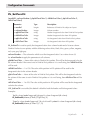
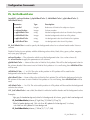
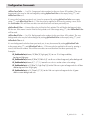
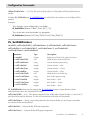
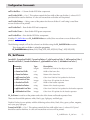
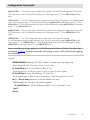
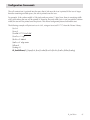
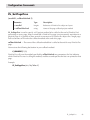
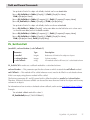
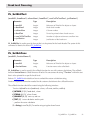
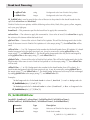
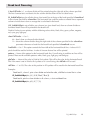
columnJust and headerJust — The justification for a column and its header can be controlled
independently. The possible values are:
Value
0
1
2
3
Justification
Default
Left
Center
Right
PL_SetFormat
35