1
5. Logging in
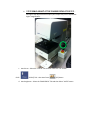
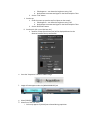
a. Login to the computer with User: LEXT Password: Olympus
b. Startup: Double click the OLS4000 icon on the Windows desktop
c. Click on “Allow, I trust this program”
d. Login with User ID: ADMIN Password: olympus
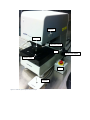
e. Clear off the stage – System will ask the user to check the safety around a sample,
object lens, and the stage.
f. The system will then ask if the user would like to “move the reference Z position” Select
[OK] provided nothing is on the stage.
6. Objectives Information
Lens
Magnification
(optical – 8x digital)
5x
10x
20x
50x
50x
100x
Field of view (um)
Working Distance
(mm)
Numerical
Aperture
2560 - 320
1280 -160
640 - 80
640 - 80
256 - 32
128 - 16
20.0
11.0
1.0
10.6
0.35
0.35
0.15
0.30
0.60
0.50
0.95
0.95
108x - 864x
216x - 1728x
432x - 3456x
1080x – 8640x
1080x - 8640x
2160x - 17280x
7. Loading and Unloading of Samples
a. LOAD AND UNLOAD at 5x!
i. Loading at higher magnifications can cause damage the objective lenses
ii. Loading at higher magnifications can damage your samples.
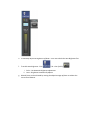
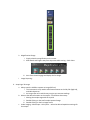
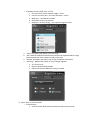
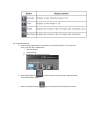
iii. To load – press the “move to load/unload” button
iv. Then Press the “move to origin”
v. To Unload – Press the load/unload – remove sample – return stage to home
position – These may be located on the [MAP SCREEN] tab