1
Fluxus Manual [version 0.16] : This work is licensed under Creative Commons Attribution-Share Alike 2.5 Generic
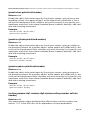
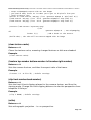
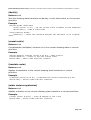
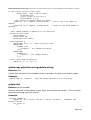
To pass this from scheme, first create some new pdata with a matching name:
(pdata-add “testcol” “v”)
Then you can set it in the same way as any other pdata, controlling shader
parameters on a per-vertex basis.
Samplers
Samplers are the hardware shading word for textures, the word sampler is used
to be a little more general in that they are used as a way of passing lots of
information (which may not be visual in nature) around between shaders.
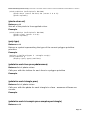
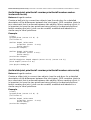
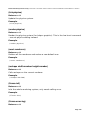
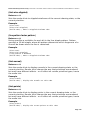
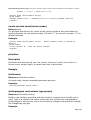
Passing textures into GLSL shaders from fluxus is again fairly simple:
In your GLSL shader:
uniform sampler2D mytexture;
In scheme:
(texture (load-texture “mytexturefile.png”))
(shader-set! (list “mytexture” 0))
This just tells GLSL to use the first texture unit (0) as the sampler for
mytexture. This is the texture unit that the standard (texture) command loads
textures to.
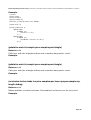
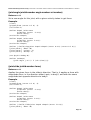
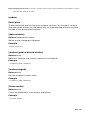
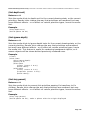
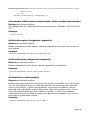
To pass more than one texture, you need multitexturing turned on:
In GLSL:
uniform sampler2D mytexture;
uniform sampler2D mysecondtexture;
In scheme:
; load to texture unit 0
(multitexture 0 (load-texture “mytexturefile.png”))
; load to texture unit 1
(multitexture 1 (load-texture “mytexturefile2.png”))
(shader-set! (list “mytexture” 0 “mysecondtexture” 1))
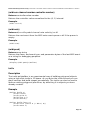
Turtle Builder
The turtle polybuilder is an experimental way of building
polygonal objects using a logo style turtle in 3D space. As
you drive the turtle around you can place vertices and
build shapes procedurally. The turtle can also be used to
deform existing polygonal primitives, by attaching it to
objects you have already created.
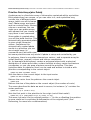
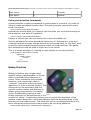
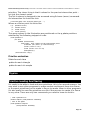
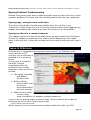
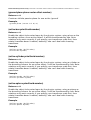
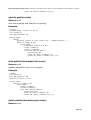
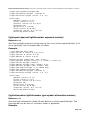
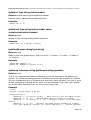
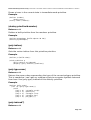
This script simply builds a single polygon circle, by playing
the age old turtle trick of looping a function that moves a
bit, turns a bit...
Illustration 32: A
circle
(define (build n)
(turtle-reset)
(turtle-prim 4)
(build-loop n n)
(turtle-build))
Page 48