1
012
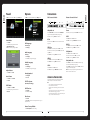
PVR File System
DVD
(Only for DTV source)
The PVR File System Menu Description
DVD Setup Menu
SELECT DISK: Select the PVR file system disk
Check PVR File System: Check the disk file format.
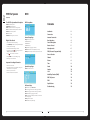
Contents
USB Disk: Display the USB Disk activation status, “PASS” flag is activation
Format: Format the USB device, create PVR file system format on the USB device
Installation2
Time Shift Size: Show the TSR capacity information
Speed: Read and write speed.
Free Record Limit: Set the recording set-up time, unit is hours.
Connections3
General Setup Page:
Antenna Connection
3
TV Display: Select the display aspect ratio from:
Basic Operation
4
»» Normal /LB: Letterbox
Control Description
4
»» Wide: Widescreen (16:9)
Remote Control
5
»» The size of the USB device affects the recording time available.
OSD Lang: Select the OSD Language (English is the default).
Menu Operation
6
»» To record a DTV program press the
button. The recording will continue until the Stop button is pressed or the USB device is full.
Last Memory: Whether the DVD Player will remember the last position on a previous disc.
EPG (Electronic Program Guide)
6
Source Selection
6
Channel 7
Digital Video Record
»» Insert a USB device and enter the PVR File System page.
»» Select Check PVR File System, if USB device not previously formatted the system will automatically prompt USB disk formatting.
»» Press the
»» Normal / PS: Pan & Scan (4:3)
Screen Saver: Whether the screen saver is displayed after 3mins of inactivity.
button to shrink the on-screen information.
»» Pressing the REC MENU button will open the recorded program page.
S pe a k e r s e tu p p a g e
»» Recorded Programs can be viewed or deleted.
Picture8
Important Recording Information
»» The USB device must be at least 1 GB.
»» When formatting a USB device all contents will be deleted. Formatting will fail if the USB device contains a virus or any other defect.
Time9
Speaker Setup Page:
Sound10
Downmix: Select the downmix for SPDIF out.
Options10
»» PVR function is only available in DTV source
Lock11
»» USB device must be compatible USB 2.0 HS specification.
Media Play Function (DMP)
11
PVR File System
12
DVD12
Specifications13
Preference Page:
TV Type: Select the colour type from PAL, Auto, or NTSC.
Audio: Select the llanguage for the audio track on the disc (English is the default).
Subtitles: Select the lannguage for the subtitles on the disc (English is the default).
Disc Menu: Select the DVD Menu language (English is the default).
Parental: Select the Parental level allowed (Adult is the default). You will be asked for a
password to change (123456).
Password: Change the Parental password.
Default: Reset DVD Setup to factory default settings.
Troubleshooting13