1
Zavio CamGraba IP System
4.1 Day Mode ................................................................................................................... 23
4.2 Load Preset Modes ................................................................................................... 23
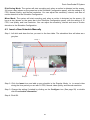
4.3 Insert a New Schedule Manually ............................................................................. 24
4.4 Copy Schedule .......................................................................................................... 25
4.5 Week Mode ................................................................................................................ 25
4.5.1. Default: ............................................................................................................... 26
4.5.2. Holiday: ............................................................................................................... 26
4.5.3. Custom: .............................................................................................................. 26
4.6 Adjust the Scheduled Setting .................................................................................. 26
4.7 Encoding Option ....................................................................................................... 27
4.7.1. Always Record: ................................................................................................... 27
4.7.2. Record on Motion: .............................................................................................. 27
4.7.3. Pre-record/ Post-record Time: ............................................................................ 27
4.7.4. Encoded Options ................................................................................................ 27
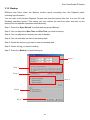
5.1 Setting – General ...................................................................................................... 29
5.1.1. Startup ................................................................................................................ 29
5.1.2. Storage ............................................................................................................... 29
5.1.3. Status Display ..................................................................................................... 30
5.1.4. Miscellaneous ..................................................................................................... 31
5.1.5. Audio Preview ..................................................................................................... 31
5.1.6. Auto Reboot ........................................................................................................ 32
5.2 Setting - Camera ....................................................................................................... 32
5.2.1. Add Camera........................................................................................................ 33
5.2.2. Setting ................................................................................................................. 34
5.2.3. Miscellaneous: .................................................................................................... 34
5.2.4. IP Camera / Video Server Setting Panel ............................................................ 35
5.3 Setting - I/O Device ................................................................................................... 35
5.4 Setting - PTZ Config ................................................................................................. 36
5.5 Setting – Monitor Display ......................................................................................... 38
5.6 Setting – User Account Setting ............................................................................... 39
5.7 Save/ Load Configuration ........................................................................................ 41
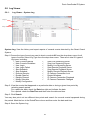
5.8 Log Viewer ................................................................................................................. 42
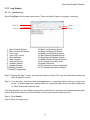
5.8.1. Log Viewer – System Log................................................................................... 42
5.8.2. Export and Backup Log ...................................................................................... 43
5.9 Export ......................................................................................................................... 43