1
Contents
Section 1 Overview and Setup ....................................................................................................................................6
1.1
Introduction .............................................................................................................................................................................. 6
1.2
Minimum System Requirements ............................................................................................................................................... 7
1.3
Preparing the System ................................................................................................................................................................ 8
1.4
Installing the Software ............................................................................................................................................................ 10
1.5
Getting to Know the User Interface ........................................................................................................................................ 14
1.5.1
Menu Bar............................................................................................................................................................................. 15
1.5.2
Action Bar ............................................................................................................................................................................ 15
1.5.3
Receiver List ........................................................................................................................................................................ 15
1.5.4
Group Pane ......................................................................................................................................................................... 15
1.5.5
Receiver Pane ...................................................................................................................................................................... 15
1.5.6
Status Bar ............................................................................................................................................................................ 15
1.5.7
Selecting Receivers.............................................................................................................................................................. 15
1.6
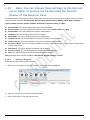
Customizing the Column Header of the Receiver Pane .......................................................................................................... 16
1.6.1
Hiding a Column .................................................................................................................................................................. 16
1.6.2
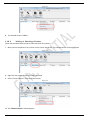
Hiding or Showing Columns ................................................................................................................................................ 17
1.6.3
Arrange Sequence for Active Columns ................................................................................................................................ 19
1.6.4
Adjusting Size for a Column ................................................................................................................................................ 20
1.6.5
Adjusting Size for all Columns ............................................................................................................................................. 21
1.7
Setting up the Close Button Behavior ..................................................................................................................................... 22
1.8
Updating the CMS Software ....................................................................................................................... 错误!未定义书签。
1.9
Checking the CMS Version ...................................................................................................................................................... 23
1.10
Exiting the CMS Software ........................................................................................................................................................ 24
Section 2 Setup the Receivers ................................................................................................................................... 26
2.1
Hardware Connection ............................................................................................................................................................. 26
2.1.1
Wired Connection ............................................................................................................................................................... 26
2.1.2
Wireless Connection ........................................................................................................................................................... 26
2.2
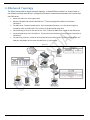
Network Topology ................................................................................................................................................................... 28
2.3
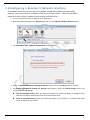
Configuring a Receiver’s Network Interface ............................................................................................................................ 29
Section 3 Discovering Receivers ................................................................................................................................ 31
3.1
Setup Port Forwarding ............................................................................................................................................................ 31
3.2
DNS Discovery ......................................................................................................................................................................... 32
3.2.1
Configure DNS and DHCP Servers ....................................................................................................................................... 32
3.2.2
Deploy the ScreenBeam Receivers ..................................................................................................................................... 35
3.3
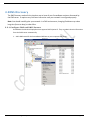
UPnP Discovery ....................................................................................................................................................................... 36
ScreenBeam Central Management System
Page 3