1
NOTES
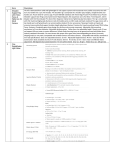
Multimedia devices compatibility with
Media System Touch / Media System Colour
Multimedia devices compatibility with
Media System Plus / Navi System
USB ConsolE
USB ConsolE
/ T here are some slow-responding multimedia devices which
stop working for a certain length of time and may even freeze
if overloaded.
/ T here are some slow-responding multimedia devices which
stop working for a certain length of time and may even freeze
if overloaded.
/ W hen playing some multimedia devices, it can take some time
for them to be read (due to their high capacity, numerous files
and a complex data structure, many folders and sub-folders,
non-playable files, etc.).
/ T he time it takes to start playing is determined by the multimedia
device connected. If the start-up process (reading the contents)
takes over a certain length of time, the following situation can
occur:
1. T he multimedia device will not start.
2. You need to re-select the audio source from the SOURCE menu
in order to play the multimedia device.
3. You need to physically disconnect and connect the multimedia
device.
/W
arning: Do not use memory card adapters, USB extension cables
or USB hubs.
/ Multimedia devices that use the MTP protocol are not supported.
Incompatibilities have been detected in multimedia devices that
support both protocols (MTP/MSC), as they are not capable of
correctly switching to MSC protocol.
arning: The maximum length of a USB multimedia device
/W
/ W hen playing some multimedia devices, it can take some time
for them to be read (due to their high capacity, numerous files
and a complex data structure, many folders and sub-folders,
non-playable files, etc.).
/ T he time it takes to start playing is determined by the multimedia
device connected. If the start-up process (reading the contents)
takes over a certain length of time, the following situation can
occur:
1. T he multimedia device will not start.
2. You need to re-select the audio source from the SOURCE menu
in order to play the multimedia device.
3. You need to physically disconnect and connect the multimedia
device.
/ Warning: Do not use memory card adapters, USB extension cables
or USB hubs.
/ Connections to new Apple models are compatible with the adaptor
(MD823ZM/A) or 0.2m adapting cable (MD824ZM/A) of Apple’s 30
pin Lightening connector.
/ T hese results are valid for USB devices that are connected to the
MEDIA IN multimedia interface via an original SEAT USB adapter.
/ In the user manual you will find information about using your
MEDIA SYSTEM PLUS / NAVI SYSTEM, as well as its playlist and
the audio formats it supports.
connected to the car’s port is 55mm, with the glove compartment
closed.
/ In the user manual you will find information about using your
Media System Touch / Media System Colour, as well as its
playlist and the audio formats it supports.
iPOD ConsolE
/ Connections to new Apple models are compatible with the adaptor
(MD823ZM/A) or 0.2m adapting cable (MD824ZM/A) of Apple’s 30
pin Lightening connector.
/ T hese results are valid for USB devices that are connected to the
MEDIA IN multimedia interface via an original SEAT USB adapter.
iPOD ConsolE
/ Apple models (iPhone, iPad and iPod) are not compatible with the
USB port and must be connected through the AUX-IN multimedia
socket.
SD Card slot
/ In the user manual you will find information about using your
MEDIA SYSTEM PLUS / NAVI SYSTEM, as well as its playlist and
the audio formats it supports.
/ Certain Apple devices can block the radio/GPS if overloaded during
operation. To return to normal behaviour the device should be
disconnected and reconnected.
/ In the user manual you will find information about using your
Media System Touch / Media System Colour, as well as its
playlist and the audio formats it supports.
3. multimedia devices LEON Notes
SD Card slot
/ In the user manual you will find information about using your
MEDIA SYSTEM PLUS / NAVI SYSTEM, as well as its playlist and
the audio formats it supports.