1
1 DATECS DPP-350
User’s Manual
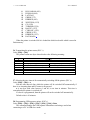
2 or ‘2’
Printing from right to left, feed to top. Starting point in right bottom
corner of the page.
3 or ‘3’
Printing from top to bottom, feed to left. Starting point in right top corner
of the page.
In page mode this command changes immediately the print direction. In standard
mode the new value is memorized and used after entering page mode.
74. Selecting standard mode (GS U)
Code: [1Dh] + [55h]
The command switches from page mode to standard mode.
The whole memory area of page mode is cleared.
The command is invalid in standard mode.
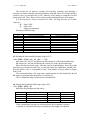
75. Setting the print area width (GS W)
Code: [1Dh] + [57h] + n1 + n2
This command sets the print area width in dots (1/203 inches). This command only
works when it is entered at the beginning of a line. The defined value of print area width
is n1+256*n2 dots. The default value depends on the mode 58mm /78mm paper roll and
is 408 or 576.
The command is valid in standard mode only.
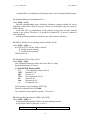
76. Print a rectangular box with selected thickness in page mode (GS X)
Code: [1Dh] + [58h] + xL + xH + yL + yH + dxL + dxH + dyL + dyH + n + d
xL and xH
Low and high byte of the horizontal position of the top left corner of
the box in the active page.
yL and yH
Low and high byte of the vertical position of the top left corner of
the box in the active page.
dxL and dxH
Low and high byte of the width of the box.
dyL and dyH
Low and high byte of the height of the box.
n
Filling mode:
0 or ‘0’
Area under the box is cleared (white).
1 or ‘1’
Area under the box is filled (black).
2 or ‘2’
Area under the box is inverted.
d
Box thickness (from 1 to 64).
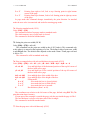
The coordinates are relative to the left corner of the page, defined using ESC W (The
print direction doesn’t matter).
If some part of the rectangle is outside the page, only the part inside the page is filled.
The box thickness is always to the inner side of the rectangle.
The command is invalid in standard mode.
77. Print the page area with valid data only (GS Z)
33