1
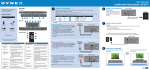
Question 3: How do I set up my soundbar using an RCA audio analog
connection?
Have you tried using your User Guide to help you through this process? If more help is needed, follow the
steps below.
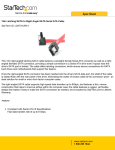
1. If you are wall mounting your soundbar, you must use the included RCA audio cable with rightangled connectors.
2. Connect your red and white RCA cables to the RCA IN jack on the back of your soundbar,
matching the colors to their correct jack.
3. Connect the other ends to the AUDIO OUTPUT of your source device (e.g. TV, projector, or
DVD/Blu-ray player), matching colors to the correct jack.
4.
5.
6.
7.
8.
Connect the AC adapter to the DC IN jack on the back of the soundbar.
Plug the other end of the AC adapter into a power outlet.
Press the power button to turn on the soundbar. The power indicator turns green.
Turn on the sound source device connected to your soundbar and begin playback.
Press the Input button on the top of the soundbar or on the remote control repeatedly to select
the RCA source. The sound plays through the soundbar.
9. Press the power button again to turn off the soundbar. The standby indicator turns on.
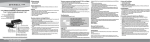
Question 4: How do I connect my soundbar to a subwoofer?
Have you tried using your User Guide to help you through this process? If more help is needed, follow the
steps below.
1. Connect a subwoofer cable (not included) to your subwoofer.
2. Connect the other end to the SUBWOOFER OUT jack on the back of your soundbar.
3
V1 14-0552