1
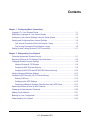
Contents
Chapter 1 Configuring Basic Connectivity
Logging In To Your Wireless Router ..............................................................................1-1
Selecting a Language for Your Screen Display ..............................................................1-4
Configuring Your Internet Settings Using the Setup Wizard ...........................................1-6
Viewing and Configuring Basic Internet Settings ............................................................1-6
Your Internet Connection Does Not Require a Login ...............................................1-7
Your Internet Connection Does Require a Login .....................................................1-9
Setting Up and Testing Wireless-N 150 Connectivity ...................................................1-11
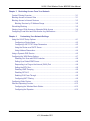
Chapter 2 Safeguarding Your Network
Choosing Appropriate Wireless Security ........................................................................2-1
Recording Wireless-N 150 Settings Setup Information ..................................................2-5
Changing Wireless Security Settings .............................................................................2-6
Viewing Wireless-N 150 Settings .............................................................................2-6
Configuring WEP Wireless Security .........................................................................2-9
Configuring WPA-PSK and WPA2-PSK Wireless Security ....................................2-10
Viewing Advanced Wireless Settings ...........................................................................2-12
Configuring WPS Security (Wi-Fi Protected Setup) .....................................................2-13
Security PIN Entry ..................................................................................................2-15
Configuring the WPS Settings ................................................................................2-16
Connecting Additional Wireless Client Devices after WPS Setup ..........................2-17
Restricting Wireless Access by MAC Address .............................................................2-18
Changing the Administrator Password .........................................................................2-20
Adding Guest Networks ................................................................................................2-21
Backing Up Your Configuration ....................................................................................2-23
Understanding Your Firewall ........................................................................................2-23
vii
v1.0, November 2011