1
working time for the monitor will be different. Higher capability (working time)
will be longer.
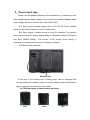
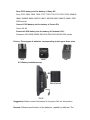
Without design charging circuit for the monitor, please remove the
battery to the battery charger for charge.
3. Operation instruction
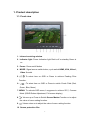
To access to the corresponding signal and power supply, the machine is in
a standby state (red indicator light). At this time press the "POWER" button, if
is in the working state, then repress "POWER" button, the machine returns to
standby state. In the working state, press the "MODE" button on the monitor,
used in switching between HDMI, VGA, VIDEO signals
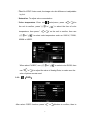
3.1. No menu display state:
Click “
” to direct on/off peaking focus assist mode
Click “
” to realize image monochrome switch (Red, Green, Blue, Black
& White and Color), under over scan state long press the button to realize
under scan function, to make sure that the signal in the 1080i image without
distortion.
Long press “MENU” button (about 3-4 seconds), black screen showed on
the image. Release, later machine is transferred to the 5D Ⅱ camera mode,
exit the 5D Ⅱ camera mode, following this operation.
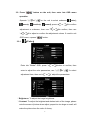
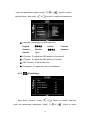
Click “
”,enter viewfinder(80%,85%,90%,93%,96% )selection
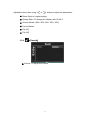
The volume adjustment, click on the "
"
" key to confirm, can adopt "
" or
" key to the volume adjustment, to stop the adjustment, after a period of
time, Volume adjustment indication frame on the screen will disappear
automatically
7