1
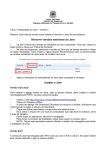
1. Introduction This platform has been created with the idea that individual users of the GreenLand platform may be able to customize their programs running on the Grid up to their smallest elements, which are the operators. This document is an introduction into operator creation, and updating. It also highlights the rules for these operations. It presents in great detail the Graphical User Interface and Programming Interface used in this application. 2. Interface The Operator Editor is part of the GreenLand application which may find at http://cgis2ui.mediogrid.utcluj.ro/GreenLandv2/. Once signed in, the user will select “Add Workflows” from the top menu bar, and then from the newly opened section select the “OperatorMng.” button. At this moment a new modal widow will be displayed (Figure 1). The user is able to create a new operator by using the “New operator” menu option. There is an approximately 1-2 days delay for releasing the operator for production usage (this time is required for the GreenLand team to validate it and to assure that it function correctly both on standalone machines and Grid infrastructure). If the operator is not valid, it will be not made accessible throughout the GreenLand application, not even for its owner. Before using this option, there is the need to download an example (using the “Download operator API”) that highlights how to extend basic functionalities in order to create your own operator. Within this page some mandatory fields are displayed to the users: Name: represents the operator’s name throughout the GreenLand application; Description: it is useful to know what is the functionality provided by this operator, Figure 1) Operator creation module