1
Getting Started
This document describes how to install and operate the Reference Design Kit.
It is divided into the following sections:
1)
2)
3)
4)
5)
6)
7)
8)
Minimum PC system requirements
Contents of Reference Design Kit (RDK)
Contents of CD ROM
Software Installation
Communicate PC to RDK
How to Use the Reference Design Software (download Images)
How to Download Firmware to on-board 8051 Microcontroller
How to Change Calgary Display to Atlanta Display
1) Minimum PC System Requirements
Software
Display
Computer
Memory
Hard Disk
CD-ROM Drive
RS-232 Port
Windows 98/NT4.0/2000/ME or XP
SVGA (800x600) resolution with 256 colors
PC with a 120MHz Pentium® or compatible CPU
64MB of RAM system memory
13MB of available hard drive space
4x RW, ISO9660 disk format compatible
RS-232 interface port
2) Contents of Reference Design Kit
OLED
Hardware
CD-ROMs
Cable
Power Supply
OSRAM Pictiva OLED Display Modules
1. (Atlanta, 128 x 64 1.6” Diagonal)
2. (Calgary, 128 x 64 2.7” Diagonal)
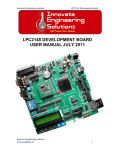
Reference Design Controller Board
Keil uVision3 Evaluation Version Compiler and Reference Design
software
RS-232 Cable
Power adaptor for battery charger
3) Contents of Reference Design CD ROM
Data Sheets
Software
Hardware Files
User’s Manual
Application notes
May 30, 2006
Osram Pictiva OLED Driver SSD0323
Reference Design Graphic User Interface Application for Windows, Graphic
Generation Source Code for Firmware
Schematics, Gerber Files, Bill of Materials
PDF version of this documentation
Seven application notes are included:
AN001)
OLED Driver Basic Register Setup
AN002)
Hardware Reference Manual: Reference Design
AN003)
Software Reference Manual: Text and Graphics Generation
AN004)
Bitmap File Format and Manipulation
AN007)
Communication Protocol
AN008)
OLED Display Module Handling and Care
AN009)
Effective Use of Pictiva OLED Displays: Power, Image, and
Lifetime Optimization
Page 2 of 12