1
User Manual
User Manual
2.Getting Started
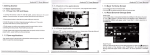
(Bottom View)
2.1 Basic Operations
2.1 .'l Power On/ Off and Standby
Non-Slip Mal
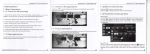
1. Connect the devico to theiTV with HD cable, connect device to the power adaptor,
Connect mouse, air mouse or other input devices with USB port
Non-Slip Mat
Non-Slip Mat
Heat Emission Hole
.2
2. Press power button to start device, Power LED turns into blue
Accessories
il
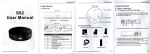
Device includes the following accessories
PowerAdapter
a
OD
HD Cable
AV Cable
IAccossoil6s and appoaranc6 arc subj6cl lo changs wilhout prior nolic6
3. Under the power on mode, long press power button ove|I 0 seconds to power off the
device, Power LED turns off.
4. Under power on mode, press remote control's power button, device enters into
standby mode. Power LED turns into red.
5. Under standby mode, device will be wake when you press remote control's power
button, Power LED turns from red to blue.
USB Cable
I
Remote Control
2)
3)