1
Contents
Introduction to ETC: ......................................................................................................................................................................... 3
Dashboard Overview: ...................................................................................................................................................................... 3
Left Plane: ........................................................................................................................................................................................ 3
Center Plane: .................................................................................................................................................................................. 3
Key Terms: ........................................................................................................................................................................................... 4
My Menu: .............................................................................................................................................................................................. 4
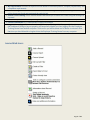
LearnerWeb Icons:............................................................................................................................................................................ 5
Requirements and Tips ................................................................................................................................................................... 6
Disable Pop-up blockers ............................................................................................................................................................ 6
Running JavaScript....................................................................................................................................................................... 6
Updating JavaScript ..................................................................................................................................................................... 7
How to Log In to ETC: ....................................................................................................................................................................10
How to launch a course from your Learning Track ...........................................................................................................11
Manager Menu:.................................................................................................................................................................................12
How to Run a Report:.....................................................................................................................................................................13
Edit an existing Report: ............................................................................................................................................................14
Example on how to pull a Report: ........................................................................................................................................15
Create a Flexi-group: ......................................................................................................................................................................17
Creating a Learning Track: ..........................................................................................................................................................19
Add Course(s) to Learning Track:.............................................................................................................................................21
Add Learners to a Learning Track Automatically Using ..................................................................................................24
Add Learners to a Learning Track Manually: .......................................................................................................................25
Removing a Learning Track from a Learner:........................................................................................................................28
Removing Course from Learner: ...............................................................................................................................................29
Master Schedule: .............................................................................................................................................................................30
Use the Master Schedule to add courses to the calendar:...........................................................................................31
Page 2 of 32