1
Introduction
This QuickGuide is intended to help you get started with installing eComStation 2.1. It
provides information to assist you in booting the installation CD, and in getting the
graphical installer loaded and running.
We especially recommend that you read Chapter 1 of this QuickGuide if you are
installing to a large hard disk.
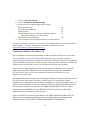
Chapter 1, eComStation 2.1 QuickGuide, contains important information about using
a hard disk of up to 2 terabytes, and tells you what you need to take into account when
installing multiple Operating Systems on the same computer.
Chapter 2, Booting from eComStation CD #1, explains how to set up your system to
boot from and use the Pre-boot Menu of eComStation 2.1 CD #1. The Pre-boot Menu
loads the proper drivers depending on what hardware is detected. You can also use this
chapter to help resolve startup problems.
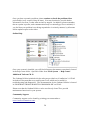
Chapter 3, Continuing the Installation Process, explains the basics of using the
graphical Guided Procedures installer, which is started after you accept the Pre-boot
Menu selections. This section also explains how the Guided Procedures online help
works and where you can find more information. You should be able to find the
information you need to complete the installation in the online help once the Guided
Procedures installer is running.
Chapter 4, Hardware Supported by eComStation 2.1, is intended to help you
understand the computer hardware that eComStation supports and assist you in
resolving hardware-related installation issues. This chapter might be useful if you
encounter problems booting from eComStation CD #1 or if you are having other
problems installing eComStation.
Chapter 5, Network Connectivity, explains how to set up your Internet connection, as
well as how to connect to shared printer and drives on a network.
Chapter 6, Getting Support/Resolving Problems/General FAQ, will help you find
additional resources and explain how to get support.
Chapter 7, License Agreement/Trademarks/Acknowledgments, is the legal section of
the manual and describes your rights and duties as to the usage of eComStation 2.1.
1