1
Content
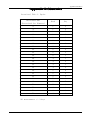
Preface........................................................................................................................................................................ 1
Copyright............................................................................................................................................................1
Statement............................................................................................................................................................ 1
Manufacturer's warranty..................................................................................................................................... 1
Matters need Attention....................................................................................................................................... 1
Safety labels........................................................................................................................................................2
Device safety classification:............................................................................................................................ 3
General tips for device operation........................................................................................................................3
General Safety Message..................................................................................................................................... 3
Chapter One Summary............................................................................................................................................... 9
1.1 Brief introduction......................................................................................................................................... 9
1.2 Range of application.....................................................................................................................................9
1.3 Technical specification............................................................................................................................... 10
1.4 Electric principle block diagram.................................................................................................................11
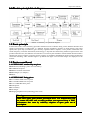
1.5 Basic principle............................................................................................................................................ 11
1.6 Device constituent...................................................................................................................................... 11
1.6.1 WED-3100V standard layout pieces................................................................................................11
1.6.2 WED-3100V fitting pieces.............................................................................................................. 11
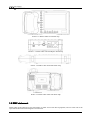
1.7 Appearance................................................................................................................................................. 12
1.8 EMC statement........................................................................................................................................... 12
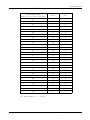
Chapter Two Installation.......................................................................................................................................... 14
2.1 Operating environmental requirements...................................................................................................... 14
2.2 Unpacking inspection................................................................................................................................. 14
2.3 Installation and disassembly....................................................................................................................... 14
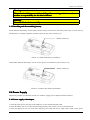
2.3.1 Connection between probe and main unit........................................................................................14
2.3.2 Installing and disassembling battery................................................................................................15
2.4 Power Supply..............................................................................................................................................15
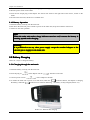
2.4.1 Power supply with adapter...............................................................................................................15
2.4.2 Battery Operation............................................................................................................................ 16
2.5 Battery Charging.........................................................................................................................................16
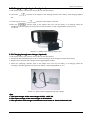
2.5.1 Charging through the main unit....................................................................................................... 16
2.5.2 Charging through adaptive line (Optional)...................................................................................... 17
2.5.3 Charging through auto-charger (Optional)...................................................................................... 17
Chapter Three Keyboard and Mouse Operation....................................................................................................... 18
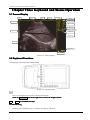
3.1 Screen Display............................................................................................................................................18
3.2 Keyboard Functions....................................................................................................................................18
3.3 Mouse......................................................................................................................................................... 21
Chapter Four Operation Sequence............................................................................................................................22
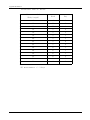
4.1 Power on.....................................................................................................................................................22
4.2 Diagnose..................................................................................................................................................... 22
4.3 Modify Image Parameters.......................................................................................................................... 22
4.3.1 Frequency Setting............................................................................................................................ 23
4.3.2 Focus settings.................................................................................................................................. 23
4.3.3 Frame correlation settings................................................................................................................23
4.3.4 Image Smoothen.............................................................................................................................. 23
4.3.5 Gamma correction........................................................................................................................... 23
4.3.6 Gain Setting..................................................................................................................................... 23
4.3.7 Modify Brightness and Contrast......................................................................................................23
4.3.8 Probe Setting....................................................................................................................................24
4.4 Note............................................................................................................................................................ 24
4.5 Function Introduction................................................................................................................................. 27
4.5.1 Cineloop playback........................................................................................................................... 27
4.5.2 Image Storage.................................................................................................................................. 27
4.5.3 Pick out Image................................................................................................................................. 28
4.5.4 Image up/down flip..........................................................................................................................28
4.5.5 Image left/right flip..........................................................................................................................28
4.5.6 Color................................................................................................................................................ 29
4.5.7 Measure of perimeter, area and volume...........................................................................................29
4.5.8 Statistics of Histogram.....................................................................................................................31
4.5.9 Erase image storage......................................................................................................................... 32
WED-3100V Manual/Technical Instructions (V1.10)