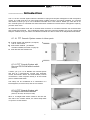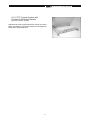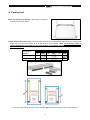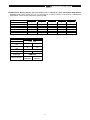
1
19" 1U TFT Console System
l Front Panel
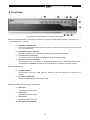
Front panel of a KVM Console 17”-TFT/15”-TFT model
n KVM Control and Status: (This section is effective only when an KVM switch module is connected, not
applicable for 1to1 module. )
1.
Computer Selection Pad
Press one of these pushbuttons to select a computer. There are no push buttons for the higher 8 ports
of a 16-port KVM switch.
2.
Selected Computer Indicator
One of the indicators turns red when it corresponding computer is selected.
3.
Local Console in operation
It turns green when a computer is accessed through the equip Console.
4.
Remote Console in operation
It turns green when a computer is accessed by another set of keyboard/mouse/monitor
connected to the "Remote" console when the KVM switch module is 331428 or 331426.
n LCD Panel Control
5.
LCD Panel Menu
These buttons invoke the OSD menu for settings of the LCD panel as an ordinary LCD
monitor.
6.
LCD Panel Adjustment
Letting you adjust settings for the LCD panel.
n Keyboard Status & LCD Panel Power Switch
7.
Num Lock
Keyboard Num Lock status.
8.
Caps Lock
Keyboard Caps Lock status.
9.
Scroll Lock
Keyboard Scroll Lock status.
10. LCD Panel Power Switch
10