1
Demo!
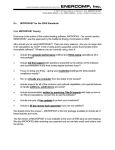
Enercomp thanks you for your interest in the MICROPAS program.
Enclosed is your free demo version. This demonstration version is
the same as our full working version except that the building size
is restricted to 1600 sqft in one California climate zone and our
comprehensive User’s Manual is not included.
The purpose of this demo version is to give you an idea of how the
program operates and to verify that it works on your computer. If
you are interested in the details of how to use MICROPAS for
actual compliance work, you might want to attend one of our
seminars. Or, better yet, go ahead and buy MICROPAS with our
money back guarantee. You then have 45 days to try the software
risk free. If you are not satisfied that MICROPAS is right for
you, you may return it for a full refund.
WINDOWS 95/98/ME/NT/2000 INSTALLATION INSTRUCTIONS
1.
Place disk in your floppy drive.
2.
Press the Start button in Windows.
3.
In the Run dialog box, enter:
A:\INSTALL (or B:\INSTALL)
4.
To complete installation, restart Windows.
DOS INSTALLATION INSTRUCTIONS
1.
Place disk in your floppy drive. Log onto this drive by
entering the drive name (A, B, etc.) followed by a colon.
Example DOS command:
A:
2.
Start the installation procedure.
Example DOS command:
INSTALL
3.
Start the program. Example DOS command:
MP60
An important part of our products is our technical support, so
please don't hesitate to call if there are any questions or
problems.
Any Questions? Call us at 800-755-5908