1
1
Melaleuca Home Security Quick Start Guide
YOUR NEW MELALEUCA SECURITY SYSTEM
Familiarize yourself with the components of your security system, but do not remove sensors from their individual boxes until
you complete step 2a. Each sensor is identified by a Sensor # label. A typical system includes the following components:
Thank you for choosing Melaleuca Security. This Quick
Start Guide will give an overview of how to set up and test
your system. Refer to your User Manual for more detailed
information on any of the components, or contact us
with any questions.
Support Hotline:
1-877-760-3444
Email inquiries:
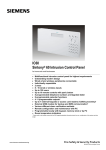
1. Control panel:
The Control Panel is the “brain” of your security system.
It connects with all the sensors in your home and communicates with Melaleuca Security using a telephone line or a cellular connection.
2.Door/Window Sensor:
A Door or Window Sensor can monitor anything that opens and closes—including doors, windows, safes,
cabinets—and sounds an alert when something is
opened while the alarm is armed.
HomeSecurity@Melaleuca.com
3.Motion Sensor:
Motion Sensors detect activity in a certain area of your home. They can be placed on shelves or other flat surfaces,
or mounted on walls.
4.Keychain Remote:
The Keychain Remote allows you to arm or disarm your system remotely. You can also use it to initiate a
panic alarm.
Additional/Optional Equipment:
Your customized security system may include additional
sensors and components. Please consult the User Manuals
for these components found in their individual boxes for
setup and usage information.
1
3
4
2