1
Table of contents
3
Table of Contents
Introduction ............................................................................................................................ 5
Documents required for Manufacturing: ............................................................................ 5
2D Routing Diagrams..................................................................................................... 5
Jig (or Form Board) Diagrams ....................................................................................... 5
Build-to-Package (BTP) Documents .............................................................................. 5
Manufacturing Build-to-Package Documents (MBTP).................................................. 6
Manufacturing Operations.................................................................................................. 6
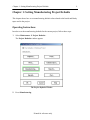
Chapter 1: Setting Manufacturing Project Defaults ............................................................... 9
Operating Instructions ........................................................................................................ 9
Brady Tape Defaults......................................................................................................... 11
Braid Defaults................................................................................................................... 12
Chapter 2: Integrating an MBTP Package............................................................................ 15
Operating Instructions ...................................................................................................... 15
Creating the Work Order Report .................................................................................. 16
Selecting Inactive Paths............................................................................................ 17
Selecting Starting Connectors .................................................................................. 18
Manually Selecting Starting Connectors .................................................................. 19
Automatic Selection - By Diameter.......................................................................... 21
Automatic Selection - By Number of Wires ............................................................ 22
Updating Brady Tape Definitions ................................................................................ 25
Creating a Working Report........................................................................................... 26
Error Messages ................................................................................................................. 27
The Work Order Report.................................................................................................... 28
Banner Page.................................................................................................................. 28
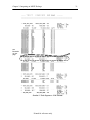
Section 1: Twist Sequence............................................................................................ 29
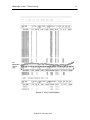
Section 2: List of 1st End Solder.................................................................................. 33
Section 3: List of 2nd End Solder................................................................................ 36
Section 4: List of Wires Not Connected at Either End................................................. 39
Section 5: Wires Link the Following Connector Pairs ................................................. 42
Chapter 3: Making Modifications ........................................................................................ 45
Chapter 4: Manual Changes for Manufacturing ................................................................... 47
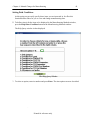
Setting Path Conditions ................................................................................................ 49
To Display Only Jumpers:........................................................................................ 50
To Set Path Conditions:............................................................................................ 50
To Set From F/T/I Conditions: ................................................................................. 50
To Set To F/T/I Conditions: ..................................................................................... 51
To Set From Connector Conditions:......................................................................... 51
To Set To Connector Conditions:............................................................................. 52
To Set From Coil Number Conditions: .................................................................... 52
To Set To Coil Number Conditions:......................................................................... 53
To Display All Jumpers and Paths: .......................................................................... 53
The Manufacturing Methods Window ......................................................................... 54
Making Changes ........................................................................................................... 55
Changing Paths Data ................................................................................................ 55
Changing Wires Data................................................................................................ 56
Changing Designator and Coil No. Data.................................................................. 57
Printed for reference only